
Edit Data
The Edit Data page allows authorised administrators to make limited corrections to collected data without breaking the audit trail.
What you can do
| Action | Description |
|---|---|
| Soft-delete a subject | Mark a participant’s entire record as deleted. The data is retained in the database but excluded from exports and counts by default. |
| Edit individual responses | Correct the value of a specific question response for a specific participant. |
All changes are logged with a timestamp, the username of the administrator who made the change, the original value, and the new value.
Participant table
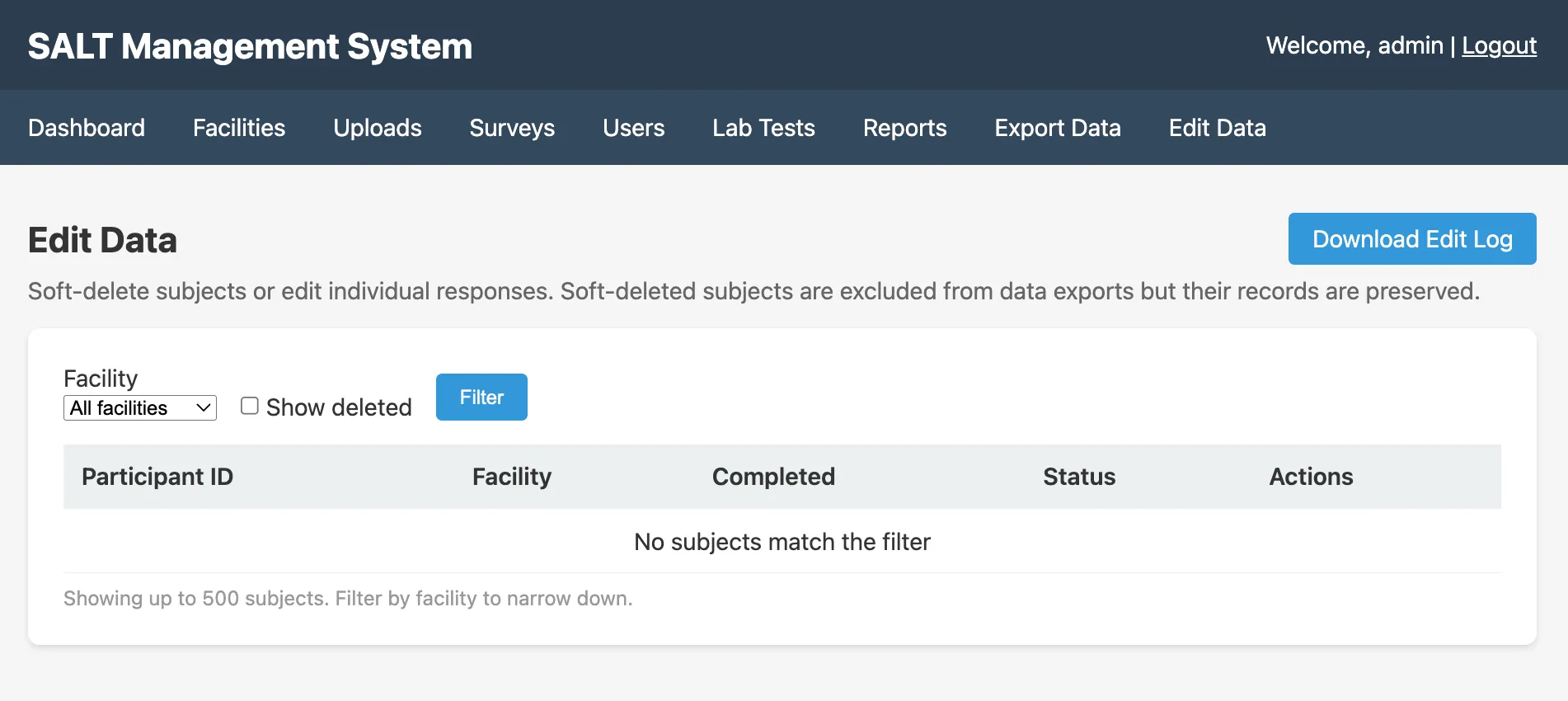
The table shows participants with:
- Participant ID: unique identifier assigned by the tablet
- Facility: which facility the participant was enrolled at
- Completed: whether the interview was completed
- Status:
activeordeleted - Actions: edit or delete
Filtering
Use the Facility dropdown to filter by facility. Check Show deleted to include soft-deleted records in the list.
Soft-deleting a participant
Click the delete icon next to a participant and confirm. The participant’s status changes to deleted. Deleted participants:
- Are excluded from exports by default (unless Show deleted is enabled and you re-export)
- Are retained in the database with all their responses intact
- Can be restored by an administrator
Editing a response
Click the edit icon next to a participant to see their responses. Click the pencil icon next to any response to change its value. Enter the corrected value and provide a reason for the edit. The original value is preserved in the audit log.
Edit log
Click Download Edit Log to download a CSV of all edits and deletions, including:
- Timestamp
- Administrator username
- Participant ID
- Field edited
- Original value
- New value
- Reason given
The edit log is the authoritative record of all post-collection corrections.
When to use Edit Data
Use Edit Data sparingly and only for genuine data quality corrections, for example, a transcription error in a numeric response, or a test participant whose record should be excluded. Programmatic corrections to entire variables should be done in your analysis scripts, not in the database.