
Reports
SALT includes a reports engine that runs Quarto documents against the live database. Reports can be run on-demand or scheduled to run automatically.
Creating a report
Click Create New Report:
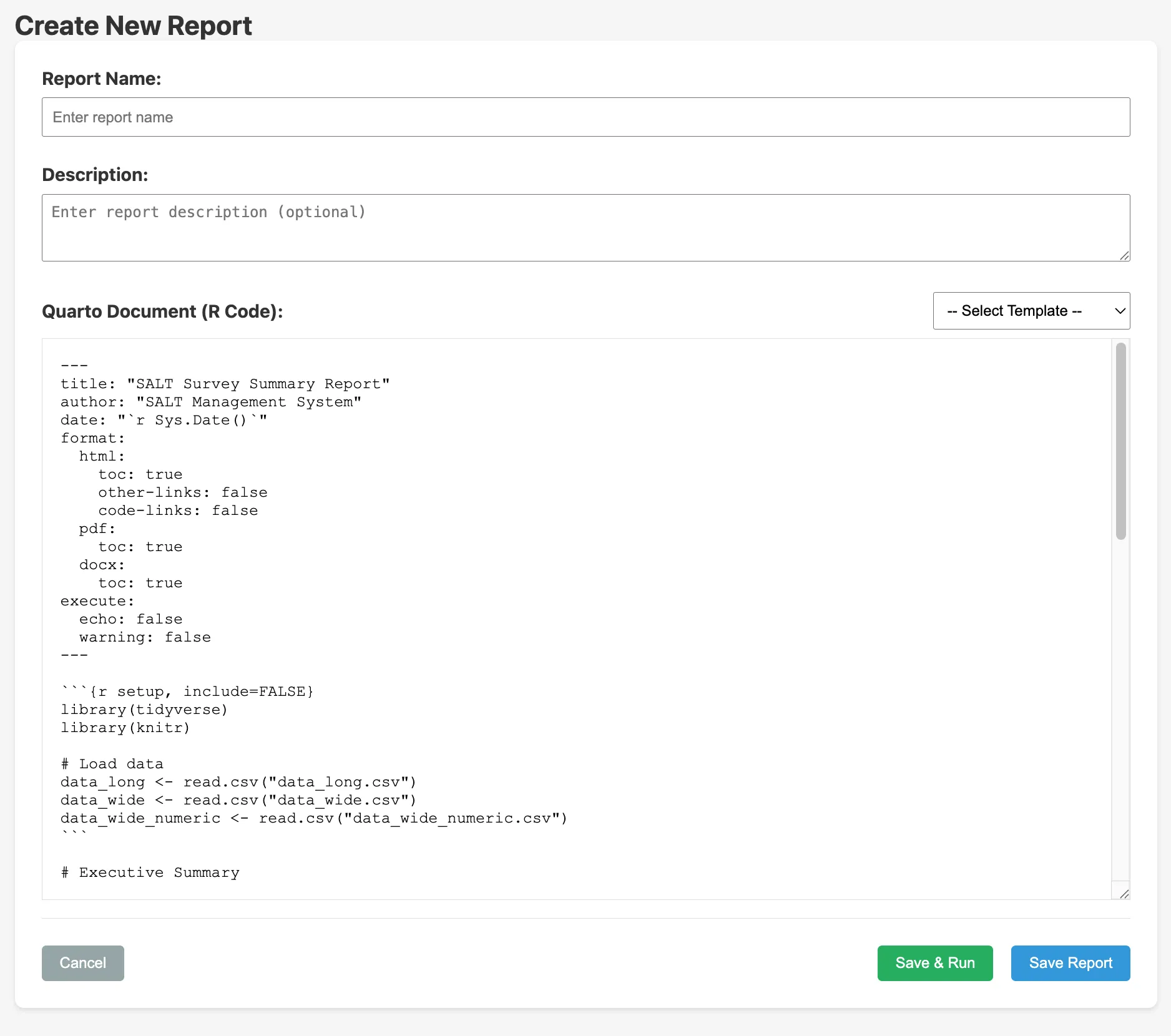
| Field | Description |
|---|---|
| Report Name | Display name |
| Description | Optional description of what the report covers |
| Quarto Document | The R/Quarto source code for the report. A template selector provides starting points. |
The report code does not access the SQLite database directly. Instead, the server exports the survey data into the report’s working directory before each run, in the same formats produced by the Export Data tab. The following CSV files are available to read with read.csv() / readr::read_csv():
| File | Contents |
|---|---|
data_long.csv | One row per answer (long format) |
data_wide.csv | One row per completed survey, answer labels as values |
data_wide_numeric.csv | One row per completed survey, option indices as values |
R packages including RDS, tidyverse, lubridate, scales, jsonlite, and uuid are available.
Click Save & Run to save and execute immediately, or Save Report to save without running.
Scheduling
Click the Schedule icon next to any report:
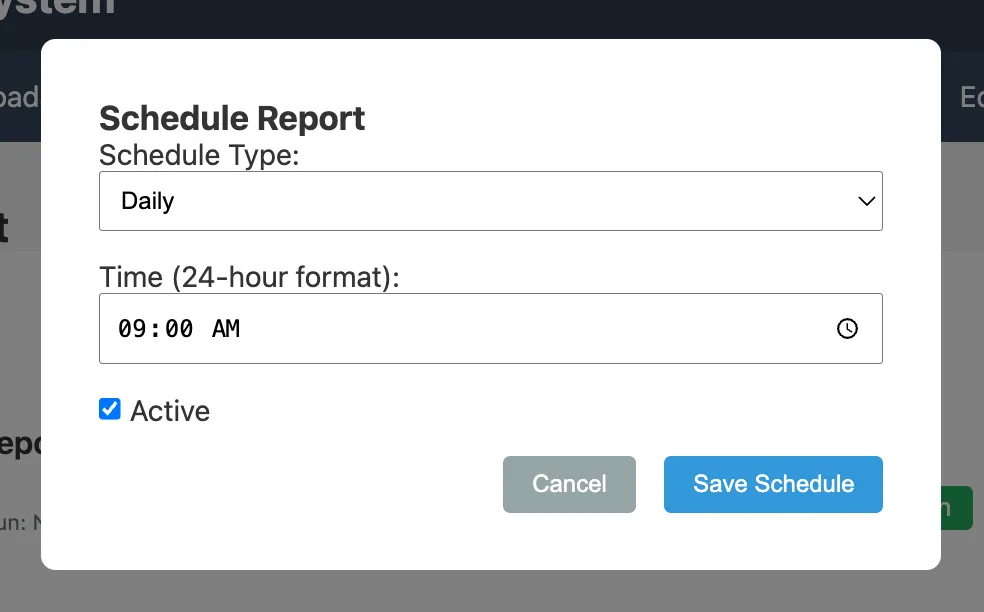
| Field | Description |
|---|---|
| Schedule Type | Daily, Weekly, or Monthly |
| Time | Time of day to run (e.g. 09:00 AM) |
| Active | Toggle on or off without deleting |
Run history
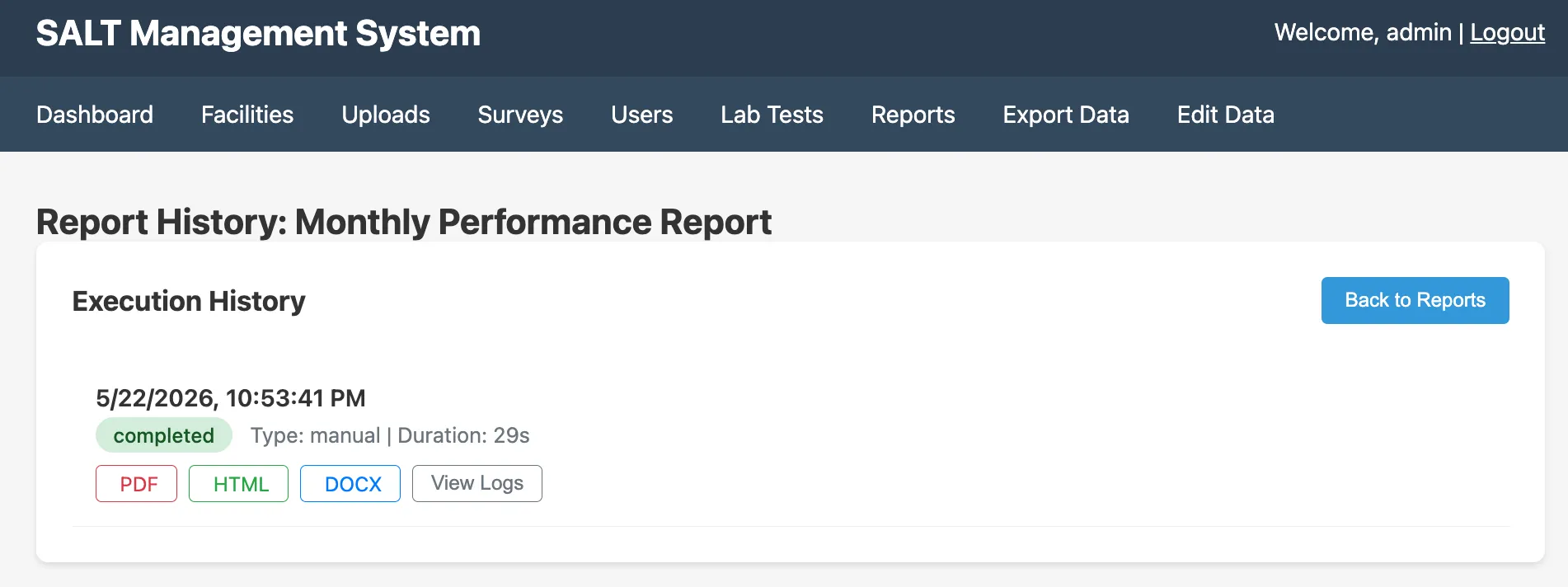
For each run: date, type (manual or scheduled), duration, and download links for PDF / HTML / DOCX output. View Logs shows the full Quarto render log.
Completed outputs are stored in data/reports/runs/ on the server volume.
R packages available
RDS, Respondent-Driven Sampling estimatorstidyverse, data manipulation and visualisationlubridate,scales,jsonlite,uuid, utilities