
Survey Questions
Questions are the building blocks of a SALT survey. Each question has a type, display text, answer options (for choice questions), and optional logic fields.
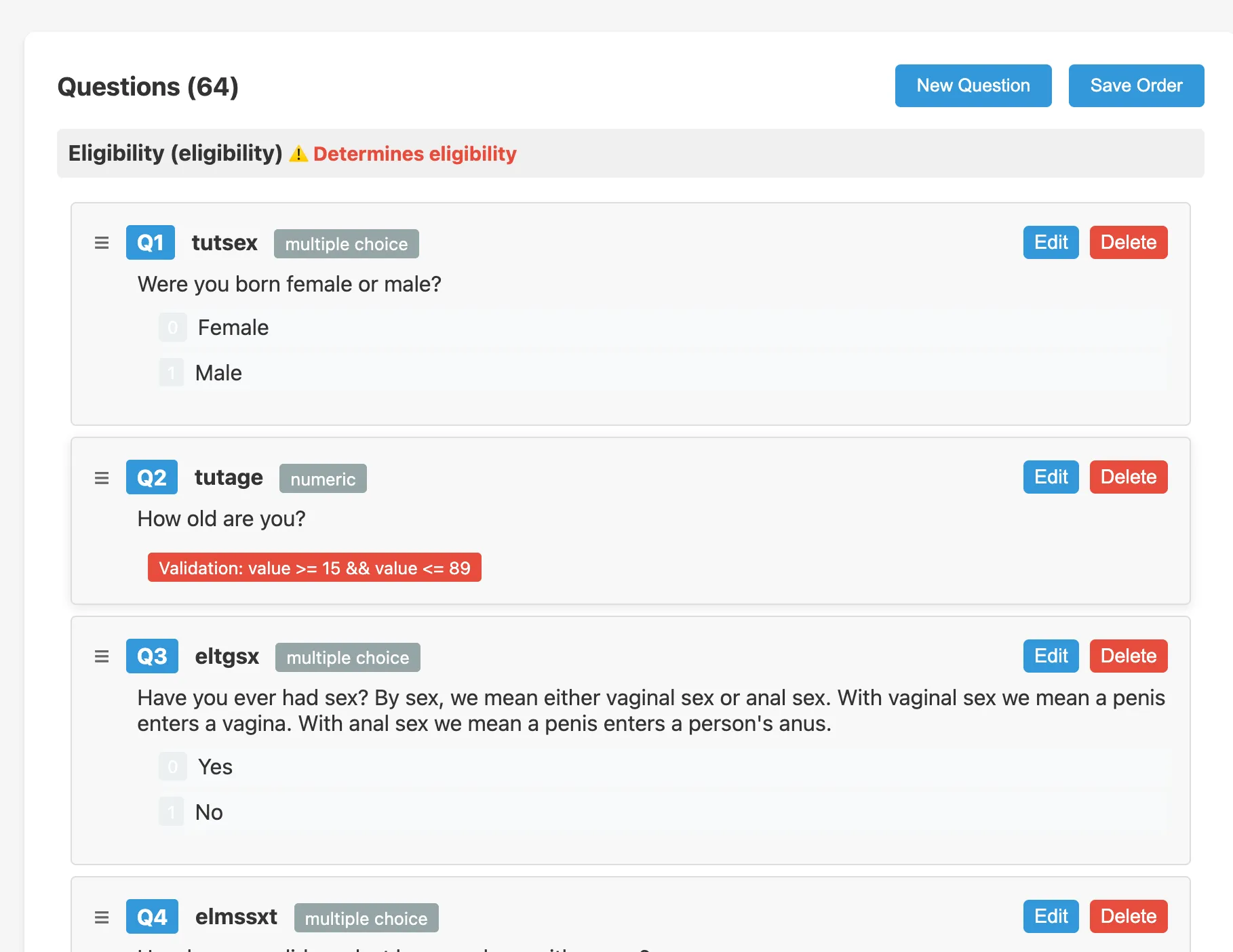
Question list
The questions tab of the survey editor shows all questions in order, grouped by section. Each row shows:
- Order: drag to reorder
- Short Name: the unique identifier used in skip logic and data export
- Type: question type (see below)
- Question text: the first-language text displayed to participants
- Actions: Edit, Delete
Question types
SALT supports five question types:
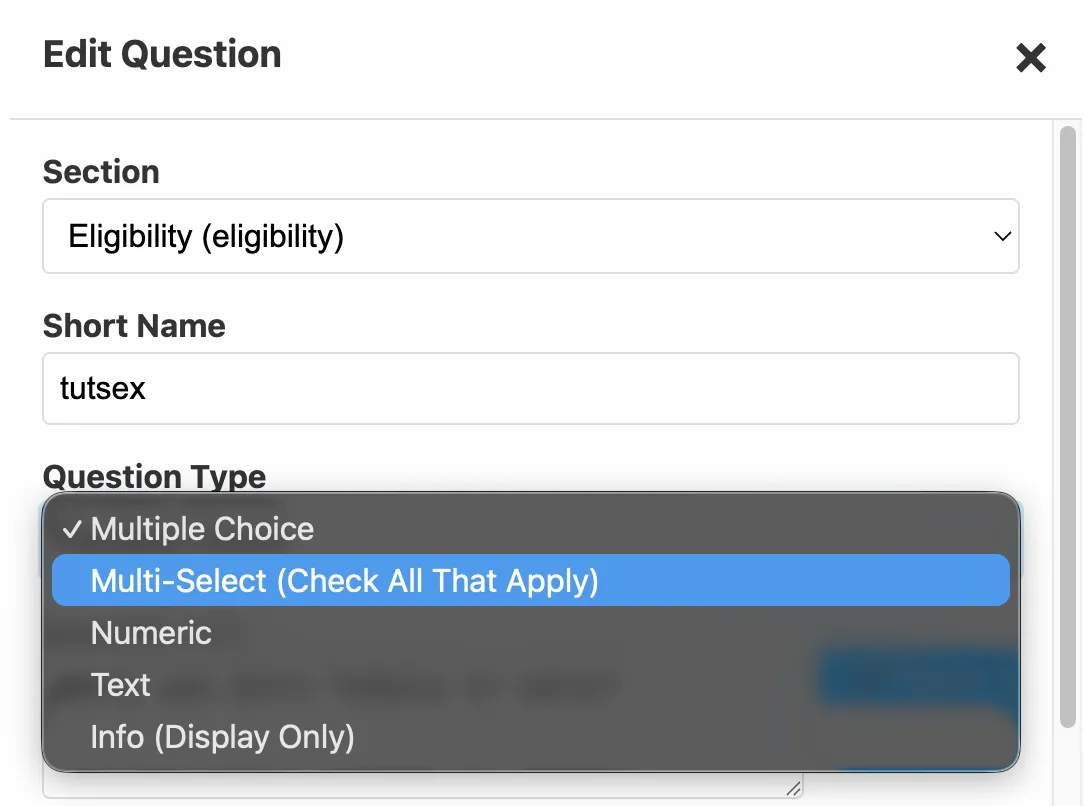
| Type | Description |
|---|---|
| Multiple Choice | Participant selects exactly one option from a list |
| Multi-Select (Check All That Apply) | Participant selects one or more options; min/max constraints can be set |
| Numeric | Participant enters a number; validated with a JEXL expression |
| Text | Participant types a short text response |
| Info (Display Only) | Displays text (and optionally audio) without collecting an answer |
The question edit modal
Click Edit on any question to open the edit modal.
Top half, question definition
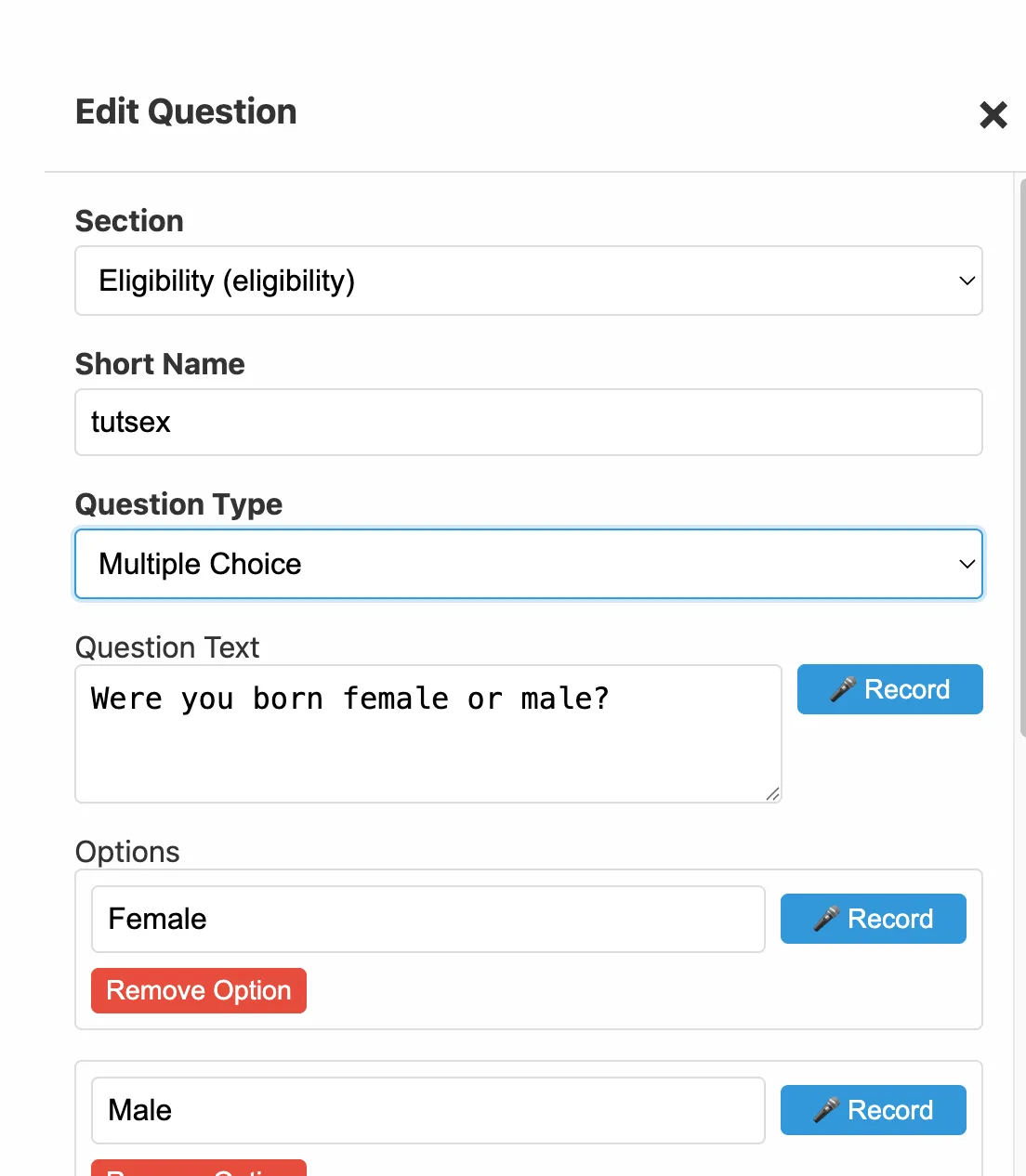
| Field | Description |
|---|---|
| Section | Which section of the survey this question belongs to (e.g. Eligibility, Main) |
| Short Name | Unique machine-readable identifier. Used in skip logic, data column names, and exports. Must be unique within the survey. Cannot be value. |
| Question Type | Select from the five types above |
| Question Text | The question displayed to participants in the default language |
| Options | For Multiple Choice and Multi-Select: the list of answer options, in the order they appear. Each option has a Record button to record audio. |
| Min / Max Selections | For Multi-Select only: the minimum and maximum number of options the participant must select |
Bottom half, logic fields
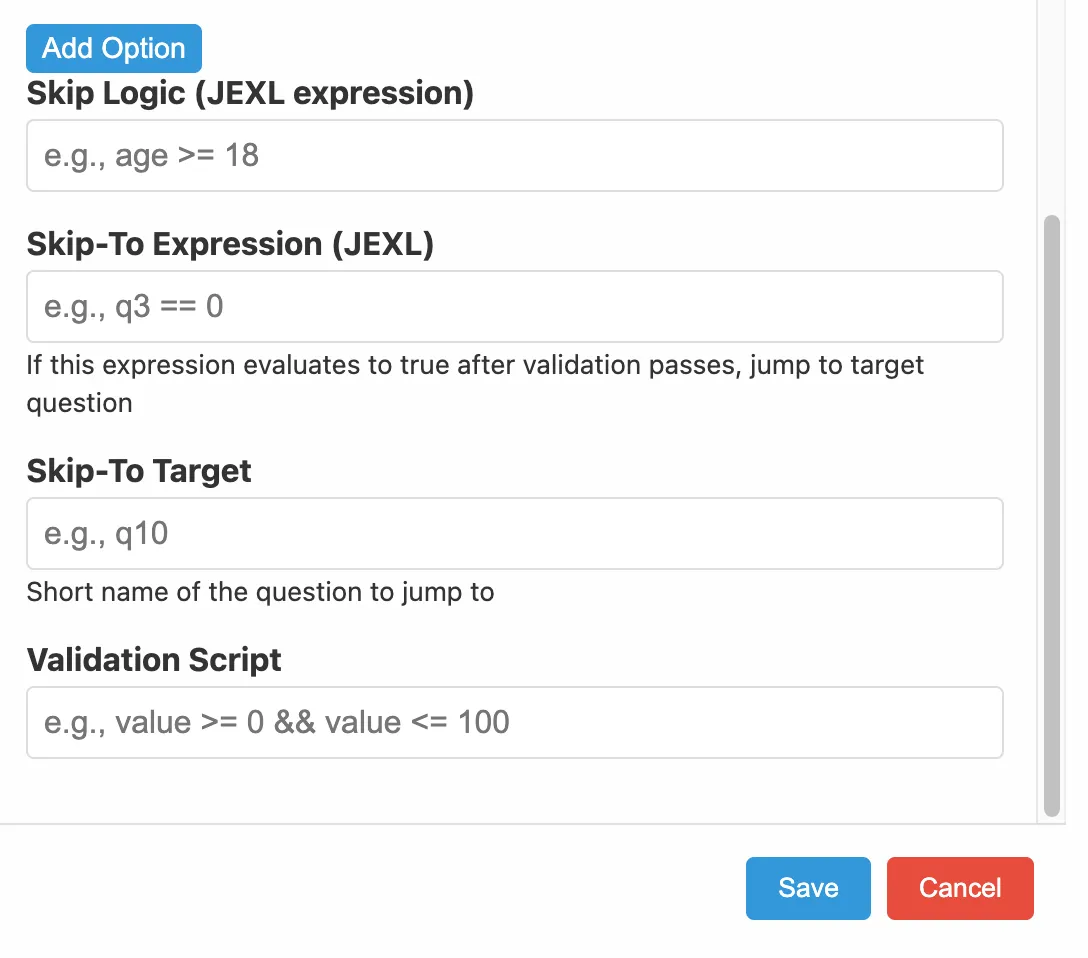
| Field | Description |
|---|---|
| Skip Logic | JEXL expression. When this evaluates to true, the question is hidden. |
| Skip-To Expression | JEXL expression. When true after this question is answered, the survey jumps to the Skip-To Target. |
| Skip-To Target | Short Name of the question to jump to when Skip-To Expression is true. |
| Validation Script | JEXL expression. The participant’s answer is in value. The answer is accepted when this evaluates to true. |
See Survey Logic for a complete guide to writing these expressions.
Option numbering
Options are numbered starting at 0, not 1. The first option in the list is option 0, the second is 1, and so on. This is the most common source of errors in skip logic, always double-check option numbers when writing conditions.
Sections
Questions are organised into named sections. Sections appear as groupings in the editor and can be used to structure the interview flow (e.g. an Eligibility section followed by a Main section).
Audio recording
Each question and each option has a Record button. Click it to record audio in the browser using your microphone. Recorded audio is stored in the survey definition and downloaded to tablets during sync. See Languages for multi-language audio.
Saving
Click Save in the edit modal. Questions are saved immediately to the server, there is no separate publish step for individual questions.